
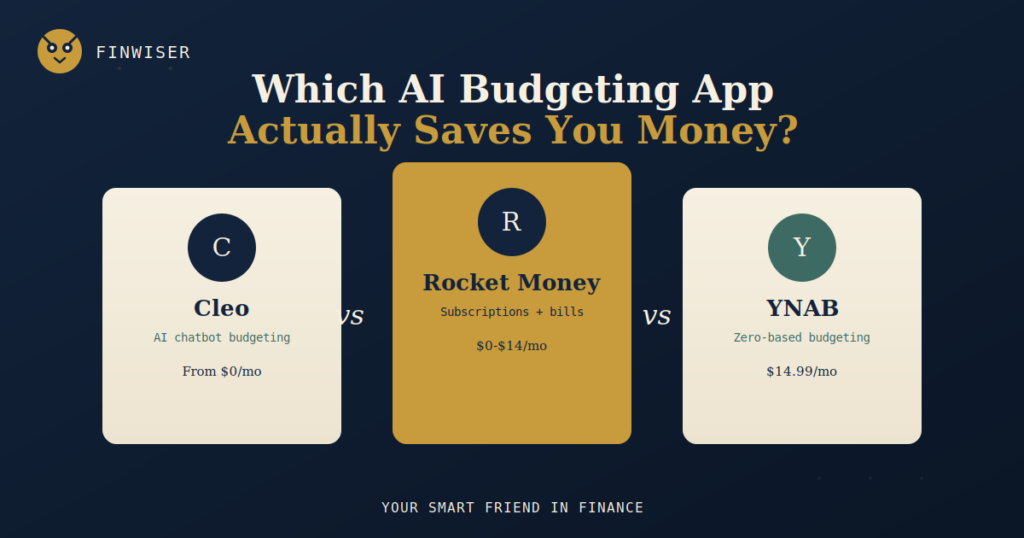
Three very different apps get lumped into the same “AI budgeting” category — here’s what actually separates a chatty subscription-hunter from a strict, dollar-by-dollar planning system.
ON THIS PAGE
If you’ve typed “Cleo vs Rocket Money vs YNAB” into a search bar, you’ve probably already downloaded at least one of them and felt like it wasn’t quite right. That’s a common reaction, because these three apps aren’t actually competing for the same job.
Cleo is a chatbot that talks you through your spending. Rocket Money is a subscription-and-bill hunter that runs quietly in the background. YNAB is a strict, hands-on planning system that wants you to assign every dollar a job before you spend it. A side-by-side Cleo vs Rocket Money vs YNAB comparison only makes sense once you’re honest about which of those three jobs you actually want done.
This isn’t a piece about which app is universally “correct.” There isn’t one. The right pick in any Cleo vs Rocket Money vs YNAB decision depends on how much manual effort you’re willing to put in, and how much you’re willing to pay for automation instead.
Good News: You Don’t Have to Choose Just One
Because Cleo, Rocket Money and YNAB solve different problems, plenty of people run two at once without paying twice for the same feature. A common combo: Rocket Money’s free tier flags forgotten subscriptions and gives a passive net-income view, while YNAB does the actual category-by-category planning for people who want that level of control. Cleo tends to be the odd one out in a stacked setup — its AI chat layer overlaps with what Rocket Money’s dashboard already shows for free.
If budget allows only one subscription, though, the Cleo vs Rocket Money vs YNAB question comes down to a single trade-off: automation and personality (Cleo, Rocket Money) versus discipline and structure (YNAB).
Cleo vs Rocket Money vs YNAB: At a Glance
| Criterion | Cleo | Rocket Money | YNAB |
|---|---|---|---|
| Starting price | Free; paid tiers $2.99–$14.99/mo | Free; Premium ~$7–$14/mo (pay-what-you-want) | $14.99/mo or $109/yr, 34-day trial |
| Core method | AI chat, spending Q&A | Subscription/bill tracking + light budgeting | Zero-based budgeting (four rules) |
| Setup effort | Very low | Low | Moderate to high |
| Bill negotiation | No | Yes (success-fee based) | No |
| Cash advance | Yes, up to $500 on top tier | No | No |
| Shared/household plan | No | No | Yes, up to 5-6 people |
| Best for | Budgeting beginners who want hand-holding | Subscription-heavy spenders | Debt payoff and households |
Criteria-by-Criteria: Pricing
Any honest Cleo vs Rocket Money vs YNAB breakdown has to start with cost, because the three sit at very different price points. Cleo’s free tier is genuinely usable — AI chat and basic categorization cost nothing — but the features people actually subscribe for (cash advances, the secured credit card, higher-yield savings) sit behind $2.99–$14.99/month tiers, and the tiers have shifted more than once this year.
Rocket Money uses a “pay-what-you-want” slider for Premium, generally landing between $7 and $14 a month depending on what you agree to. Its bill-negotiation service adds a separate success fee of roughly 35–60% of whatever it saves you in the first year — worth knowing before you let it negotiate anything.
YNAB doesn’t play the freemium game at all: it’s $14.99/month or $109/year after a 34-day free trial, full stop. That single, fixed price is either a relief (no upsells) or the biggest turnoff, depending on your budget for budgeting software.
Criteria-by-Criteria: Core Approach
Cleo’s entire identity is the chat interface. Instead of opening a dashboard, you ask it things like “how much did I spend on food this month” and it answers in plain English, sometimes with humor, sometimes with a scripted “roast.” That’s genuinely lower-friction for people who find spreadsheets and category grids intimidating.
Rocket Money takes a passive, dashboard-first approach built around one job: surfacing money you’re already losing. It scans linked accounts for recurring charges, flags ones you’ve likely forgotten, and offers to cancel or negotiate them. Budgeting exists in the app, but it’s secondary to the subscription-hunting.
YNAB is the only one of the three built around a named methodology — zero-based budgeting, expressed through YNAB’s “four rules.” Every dollar of income gets assigned a job the moment it arrives, which forces a level of active decision-making the other two apps never ask for.
Automation vs. Control
This is the real axis a Cleo vs Rocket Money vs YNAB comparison should be measured on, more than any single feature list. Cleo and Rocket Money are both built to require as little of your attention as possible after setup — categorize automatically, flag automatically, suggest automatically. YNAB deliberately resists that. It wants friction, because the friction of manually assigning a dollar is, per its own philosophy, the thing that changes behavior.
Neither approach is wrong. People who’ve failed at three previous budgeting apps because they stopped opening them often do better with Rocket Money’s hands-off model. People who’ve tried “hands-off” and watched their balance quietly drain anyway tend to respond better to YNAB’s forced engagement.
Bank Sync and Security
All three apps connect to your accounts through read-only bank aggregators (commonly Plaid), meaning none of them can move money out of your account without your separate, explicit authorization inside the app. Cleo and Rocket Money lean on Plaid exclusively; YNAB supports Plaid and, for UK users, TrueLayer, though it still lacks native PSD2 coverage for continental European banks — a real gap if you’re budgeting from outside the US or UK.
If you’d rather not link accounts at all, YNAB is the only one of the three that supports full manual entry as a real, ongoing workflow rather than a limited fallback.
Debt Payoff and Savings Tools
YNAB includes a loan payoff simulator and structures its whole system around directing leftover dollars toward debt or savings goals before you can spend them elsewhere — a meaningful edge for anyone actively working down a balance.
Rocket Money’s Smart Savings feature automates small transfers based on what it predicts you can spare, and its net worth tracker gives a lighter-weight version of the same picture. Cleo leans on round-up savings and an autosave wallet, plus a secured credit-builder card on its top tier — useful for someone rebuilding credit, less useful for someone trying to build a real emergency fund fast.
What Zero-Based Budgeting Actually Means
Since YNAB keeps coming up in this comparison, it’s worth explaining the method itself, separate from the app. Zero-based budgeting means every dollar you earn gets assigned a specific job — rent, groceries, savings, debt payoff — until your income minus your assignments equals zero. Nothing sits unassigned.
That’s different from simply tracking what you already spent, which is what Cleo and Rocket Money mostly do. You can actually run zero-based budgeting for free with a spreadsheet or an app like EveryDollar — YNAB isn’t the only way to do it, just the most automated, best-supported version of it on the market right now.
The Numbers Behind the Search
The reason “Cleo vs Rocket Money vs YNAB” gets searched so often isn’t idle curiosity. In a 2026 survey of 1,000 U.S. adults, The Penny Hoarder found that 34% had taken on extra work due to financial anxiety and 42% had cut back on social outings to manage money stress. Budgeting apps are, for a lot of people, the first concrete step toward doing something about that number — which is exactly why picking one that fits, instead of one that gets deleted in week three, actually matters.
A Halal-Conscious Note
None of these three apps are lenders in the traditional sense, and budgeting itself carries no interest concern either way — tracking spending or assigning dollars to categories is halal-neutral regardless of which app does it. The one feature worth flagging is Cleo’s cash advance, available on its Plus and Builder tiers. It’s marketed as fee-based rather than interest-based, but functionally it’s a short-term advance against your next paycheck, and a halal-conscious reader may want to treat it with the same caution as any other paycheck-advance product rather than assuming the “no interest” label settles the question.
Rocket Money and YNAB don’t extend credit or advances at all, so this particular concern simply doesn’t apply to either of them — the halal-conscious comparison here really only touches one of the three apps, not all three equally.
Cleo vs Rocket Money vs YNAB: Where Each App Wins
Where Cleo Wins
- Lowest barrier to entry. You’re budgeting within minutes of signup, with no category setup required.
- Genuinely free tier. The free version isn’t a crippled trial — real AI chat and spending summaries are included at no cost.
- Emergency cash access. The cash advance feature, while worth using cautiously, can bridge a short gap that Rocket Money and YNAB simply don’t offer.
Where Rocket Money Wins
- Subscription cleanup. Most new users identify $180–$400 a year in forgotten subscriptions within the first session.
- Bill negotiation on your behalf. You only pay if it actually lowers a bill, which caps the downside.
- Best free tier for passive tracking. Account syncing, categorization and subscription detection all work without a paid plan.
Where YNAB Wins
- Actual behavior change. The four-rules system is built to break paycheck-to-paycheck cycles, not just describe them.
- Household budgeting. Up to six people can share one plan, which neither Cleo nor Rocket Money supports.
- Debt payoff tools. The built-in loan payoff simulator is more structured than anything in the other two apps.
Cleo vs Rocket Money vs YNAB: Which One Is Right for You
If you’ve never budgeted before and dashboards make you anxious: start with Cleo’s free tier. The chat format removes the intimidation factor, even if you eventually outgrow it.
If you suspect you’re bleeding money on subscriptions you forgot about: Rocket Money’s free tier alone is likely to pay for itself in the first week.
If you’re actively paying off debt or budgeting with a partner: YNAB’s structure and household sharing are worth the fixed $109/year.
If you’re not sure yet: run Rocket Money’s free tier and YNAB’s 34-day trial side by side for two weeks. That’s the only test that actually settles a Cleo vs Rocket Money vs YNAB decision for your specific habits.
Key Takeaways
- In a Cleo vs Rocket Money vs YNAB matchup, the real decision is automation (Cleo, Rocket Money) versus forced discipline (YNAB) — not which app has the most features.
- Rocket Money’s free tier is the strongest starting point for anyone who mainly wants to stop losing money to forgotten subscriptions.
- YNAB is the only app of the three built around zero-based budgeting and household sharing, which justifies its higher, fixed price for the right user.
- Cleo’s cash advance is a fee-based product, not interest-based, but a halal-conscious reader should evaluate it with the same caution as any paycheck-advance tool.
- Running two of the three together — typically Rocket Money plus YNAB — is a legitimate setup, not a compromise.
For a broader look at how these apps stack up against budgeting tools beyond this comparison, The Motley Fool’s Ascent has a detailed Rocket Money vs. YNAB feature comparison worth reading alongside this one. And if you’re building out your own money system from scratch, FinWiser’s full library of budgeting guides covers the fundamentals these apps are all trying to automate.